PowerPoint Rehearse with Coach

Today I discovered a PowerPoint feature called Rehearse with Coach.
Since I do lot of customer facing presentations, I thought I would give this a try and see what this feature is all about.
You can find it inside PowerPoint’s Slide Show Menu.
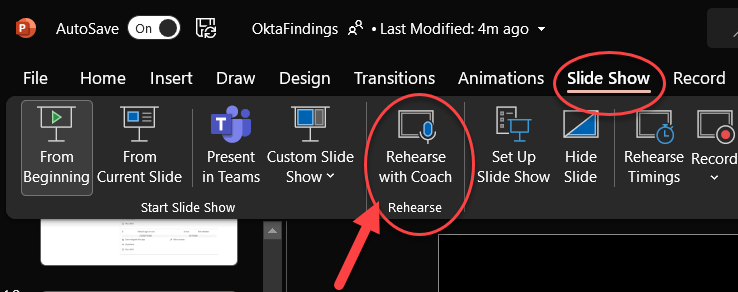
After clicking Record, then just talk to yourself a bit as if you were presenting to an audience. When you are done it will give you several tips for improvement, or in my case, validate that I am nailing it! j/k
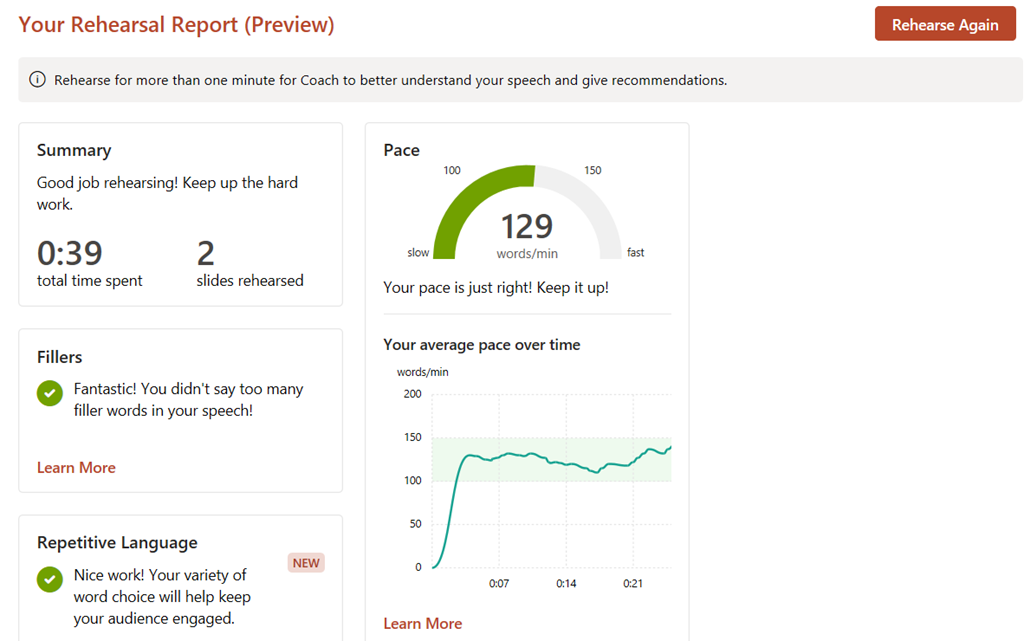
- Pace is VERY important! 130 words per minute is just about right. Too fast, people can’t follow you. Too slow, then you’re boring!
- Fillers. This is something I struggle with a LOT. I often will use filler words like “ummmm” or “you know” without even thinking about it!
- Repetitive Language. I used to work with an employee who would say the phrase “business outcome” in every other sentence. It started to lose meaning because not everything has a business outcome!
- Inclusiveness. I sometimes catch myself saying “You Guys!” This is a bad habit I am still trying to break and I look forward to improving in this area.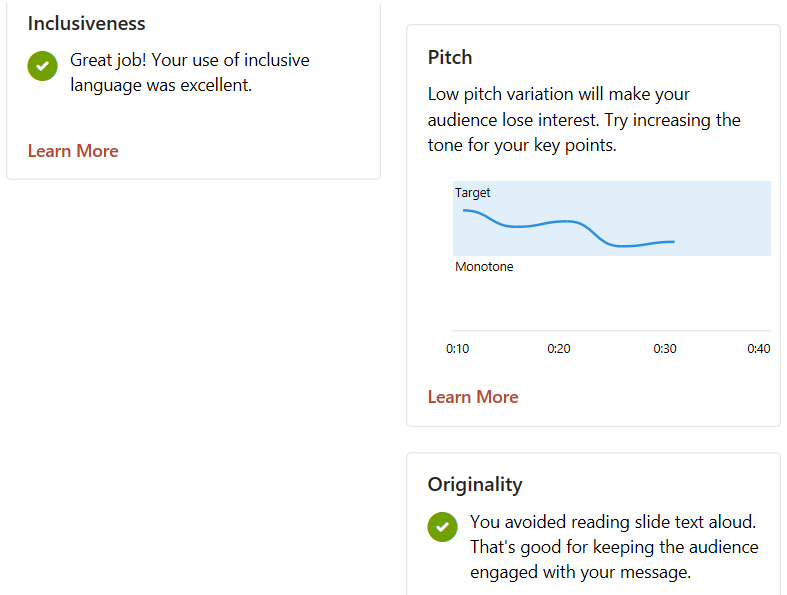
- Pitch! Avoid being monotone! As you can see the longer I spoke, the more I drifted to the dreaded monotone!
- Originality. Don’t just read the text on the slide, but instead use this as a guide for story telling!
Pretty cool stuff. I really appreciate how Microsoft continuously adds cool features like this into PowerPoint and other Office products.
Availability: Microsoft Apps for Enterprise Version 2012 (January 5 2021) https://docs.microsoft.com/en-us/officeupdates/current-channel#version-2012-january-05
More Information https://support.microsoft.com/en-us/office/rehearse-your-slide-show-with-presenter-coach-cd7fc941-5c3b-498c-a225-83ef3f64f07b