What is Double Key Encryption (DKE)?
Today Microsoft announced the public preview of Double Key Encryption (DKE). What does “Double Key” mean? It’s similar to a missile launch where two people must turn their key at the same time. In the case of encryption, it is the combination of two keys held by separate parties that encrypt or decrypt data. 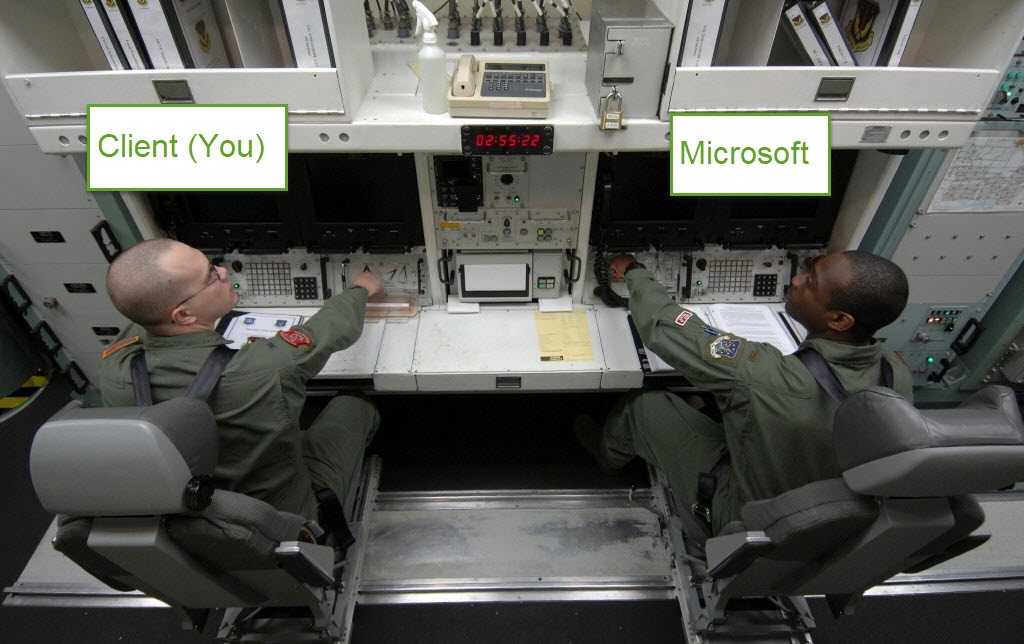 Or to quote Microsoft: “Double Key Encryption enables you to protect your highly sensitive data while keeping full control of your encryption key. It uses two keys to protect your data—one key in your control, and a second key is stored securely in Microsoft Azure. Viewing data protected with Double Key Encryption requires access to both keys. Since Microsoft can access only one of these keys, your protected data remains inaccessible to Microsoft, ensuring that you have full control over its privacy and security.” Your Client Key is hosted outside of Microsoft (wherever you want) via a web service that you are responsible for hosting. If your web service goes down (intentionally or unintentionally) then no new data can be encrypted or decrypted. This is similar to its predecessor, Hold-Your-Own-Key (HYOK) which I assume DKE will eventually replace at some point in the future. Except there is one big advantage: Unlike HYOK, DKE does not depend upon on-premises Active Directory Rights Management Services (AD RMS). So it is a simpler configuration. Is DKE right for me? Most likely not. It’s intended for some super rare scenarios that very few clients have. There are serious productivity limitations to DKE that are nearly identical to HYOK, where many features inside Office 365 and other services will not function such as SharePoint Search, eDiscovery Search, Data Loss Prevention, Transport Rules, Exchange ActiveSync, Journaling, Malware scanning, Archiving Solutions and any other services that needs to read data such as 3rd party document management systems. Therefore customers should carefully evaluate all key options before proceeding with DKE (see table below). What if I lose my key? Your data is inaccessible, and there is no ‘back door’ key like the ‘Availability Key’ feature in BYOK that allows Microsoft to decrypt data if you lose your BYOK key.
Encryption Key Comparison
| HYOK (Hold-Your-Own-Key) | Double-Key Encryption (NEW) | BYOK (Bring-Your-Own-Key) | Microsoft Managed Key | |
| Can Microsoft Read the Encrypted Data? | No | No | Yes | Yes |
| AD RMS Required? | Yes | No | No | No |
| 100%Cloud Hosted | No | No | Yes | Yes |
| On-Prem or Cloud DMZ Req? | No | Yes | No | No |
| On-Prem HSM Req? | Yes | Yes | Yes | No |
| ActiveSync Support | No | No | No | No |
| Exchange On-Premises IRM | No | No | Yes | Yes |
| Outlook Mobile | No | No | Yes | Yes |
| OWA | No | No | Yes | Yes |
| Office Mobile (Word/Excel/PPT) | Yes (Consume Only) | Yes (Consume Only) | Yes | Yes |
| Mac OSX | Yes (Consume Only) | Yes (Consume Only) | Yes | Yes |
| SharePoint Search | No | No | Yes | Yes |
| Key Strength | RSA 2048-bit (Key Exchange) AES 128 (Wrapping) SHA 256 (Signing) (FIPS 140-2) | RSA 2048-bit (Key Exchange) AES 128 (Wrapping) SHA 256 (Signing) (FIPS 140-2) | RSA 2048-bit (Key Exchange) AES 128 (Wrapping) SHA 256 (Signing) (FIPS 140-2) | RSA 2048-bit (Key Exchange) AES 128 (Wrapping) SHA 256 (Signing) (FIPS 140-2) |
| External Collaboration | No | No | Yes | Yes |
| Office Client Support | Office 2013 + | Office Insider* | Office 2013 + | Office 2010 + |
| Auditing | Yes | Yes | Yes | Yes |
Office Insider is required at the time of this writing (July 2020) but eventually it will roll out to Office versions in mainstream support. Initially at the time of this writing, the AIP Unified Labeling Client is required to encrypt/decrypt content. It will eventually be available natively in the Office Ribbon.
Additional Resources
Blog Post: https://aka.ms/DKEpreview Deployment Docs: https://aka.ms/DKEpreviewdocs Github Repo: https://aka.ms/DKErepo Update [10/22/2020] Host DKE on IIS, using an on-premises server - Microsoft Tech Community