Passwordless phone sign-in with the Microsoft Authenticator app – not compatible with conditional access require approved client app
This blog post details the effort to enable passwordless phone sign-in to Azure Active Directory using the Microsoft Authenticator App. Last week Microsoft announced this capability on September 26th at the Ignite Conference.
In my environment, I had to first install the Azure AD PowerShell preview module:
Install-Module -Name AzureADPreview -RequiredVersion 2.0.0.114
The first error I got reminded me that I had to run it in an elevated PowerShell window.
The second error I received informed me that there were already existing commands available:
"PackageManagement\Install-Package : The following commands are already available on this system: [Insert a TON of commands] followed by "This module 'AzureADPreview' may override the existing commands. If you still want to install this module 'AzureADPreview',use -AllowClobber parameter."
In my case, it errored out because I had previously installed the production Azure AD PowerShell module, so I added the -AllowClobber to the end like this:
Install-Module -Name AzureADPreview -RequiredVersion 2.0.0.114 -AllowClobber
The next thing to do is to connect to Azure AD:
Connect-AzureAD
Then run this command:
New-AzureADPolicy -Type AuthenticatorAppSignInPolicy -Definition '{"AuthenticatorAppSignInPolicy":{"Enabled":true}}' -isOrganizationDefault $true -DisplayName AuthenticatorAppSignIn
You can now run a get-AzureADPolicy to see the same information above. This would be a way to check to see if another tenant admin already beat you to the task =)
End User Steps
End-users need to enable sign-in on their Microsoft Authenticator App as described here: https://docs.microsoft.com/en-us/azure/active-directory/user-help/microsoft-authenticator-app-phone-signin-faq
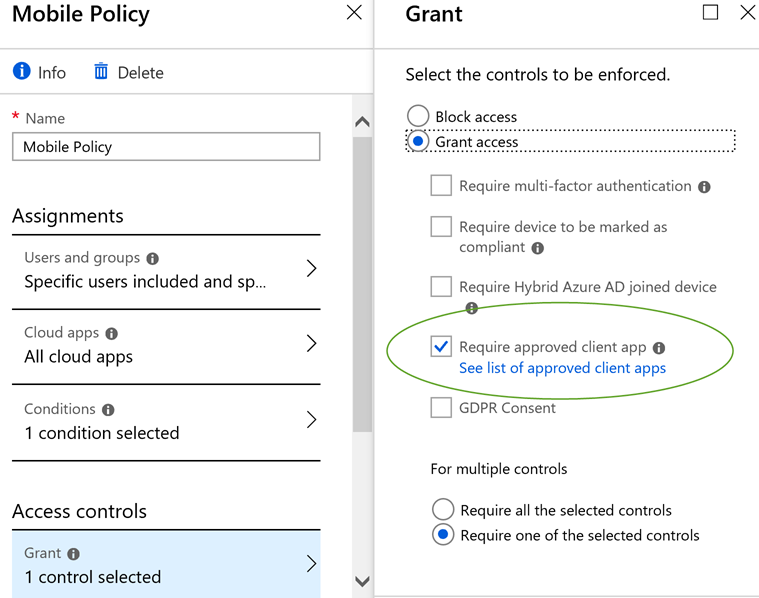
I immediately hit a roadblock where the Authenticator App was ironically blocked by our Conditional Access Policy which requires only approved client apps.
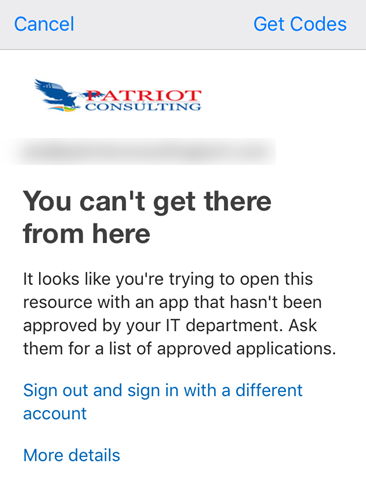
Very strange that Microsoft's own Authenticator app is not an approved client app.
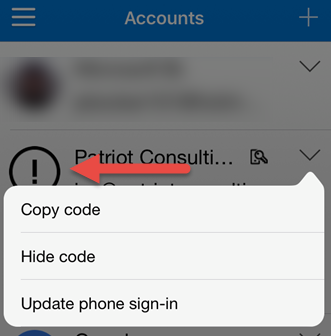
Another tell-tale sign that something was wrong was I had an exclamation point next to the account inside the Authenticator app.
So I then excluded myself from that policy and continued setup. I had to select an option in the Authenticator app to update phone sign-in.
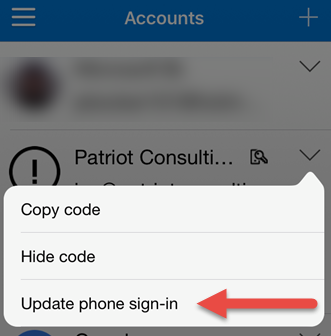
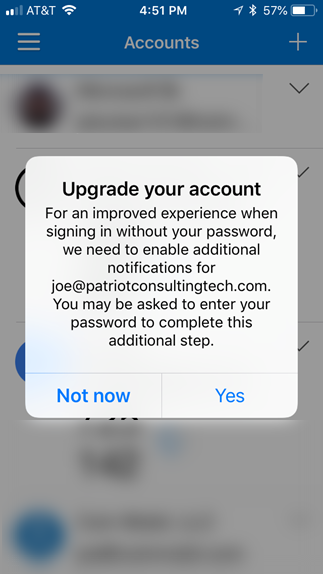
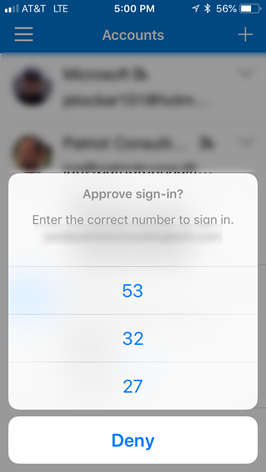
This worked and then I was able to test the passwordless sign-in successfully. The web page will give you a number, and then you go back into the authenticator app and you select the number from three options.
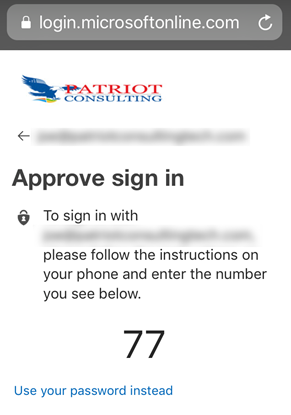
If you are wondering why 77 is not in the list of three options below, it's because I didn't time the screen shot correctly =)
Therefore, I think Microsoft should update the known issues list to include this problem that existing Conditional Access Policies may block the passwordless sign in from working properly.
I also added a UserVoice request to have Microsoft Authenticator added to the list of approved client apps. Kind of funny that this isn't approved already, but hey, please vote!
So unfortunately, because our organization relies upon the 'require approved client app' to block unsavory apps, we needed to roll back this change.
Rollback Tenant
Get-AzureADPolicy | Remove-AzureADPolicy
Rollback all enrolled Authenticator apps
I discovered that rolling back the tenant was not enough. I also had to remove my O365 account from inside the Authenticator app on my mobile device. I assume when my account was upgraded to Phone sign-in, it must have altered it beyond repair. So I went into the Authenticator App accounts and removed the account, and then re-enrolled it by going to http://aka.ms/MFASetup. Finally, I was able to get back in.
So now that I have tasted how cool passwordless sign-in, I would really like to use it, but will need to wait until it is compatible with the 'require approved app' conditional access feature.
References: